No app, no sign-up
They point the Camera at the QR and the order page opens. Nothing to download, no account, no phone number.

Put a QR code on the counter instead of handing out plastic buzzers. Customers grab a table, and their own phone buzzes when the order is up. There’s nothing for them to download and nothing for you to buy.
Free for every venue, with every feature. You don’t need a card to sign up.
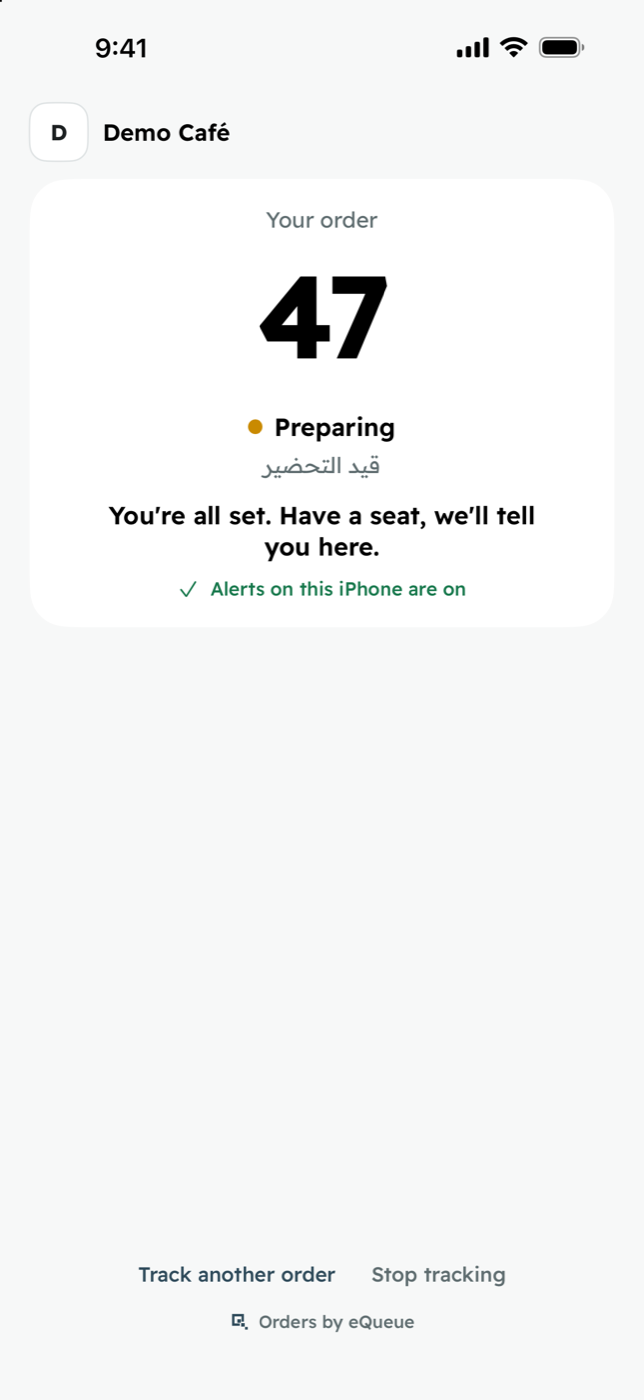
Your order
47
Preparing
قيد التحضير
You’re all set. Have a seat, we’ll tell you here.
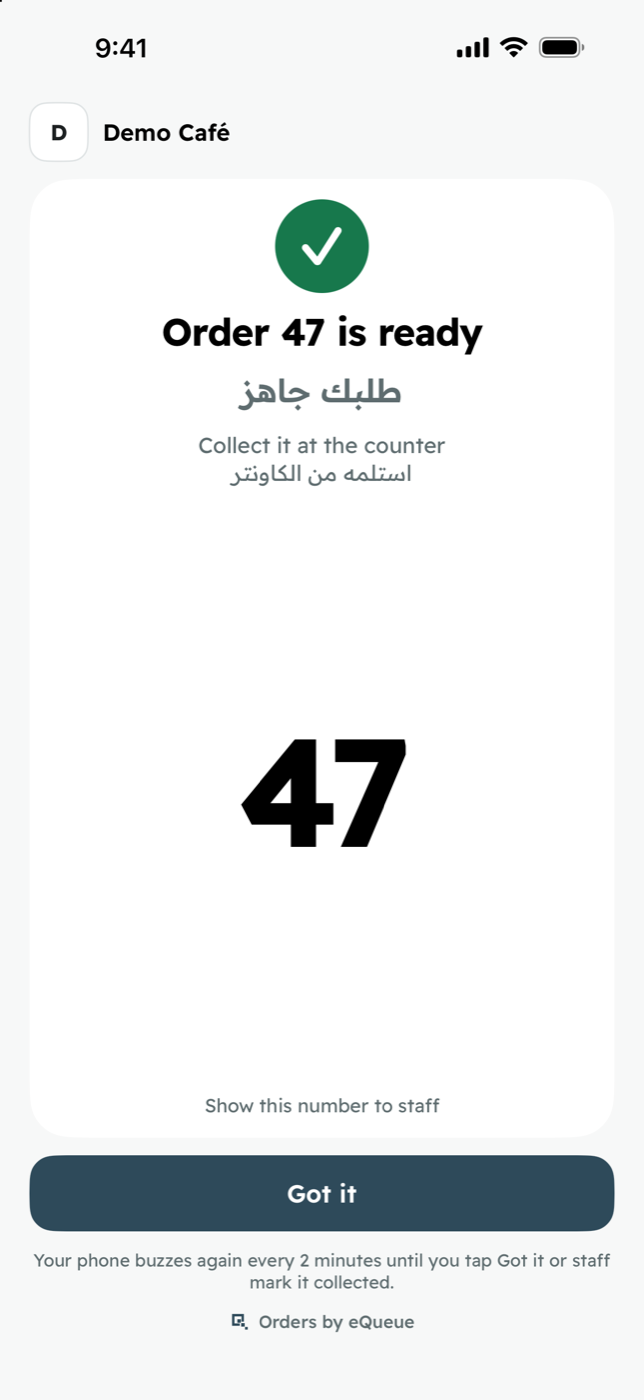
Order 47 is ready
طلبك جاهز
Collect it at the counter
47
We remind you every 2 minutes, up to 3 times.
Orders by eQueue
The cashier types the receipt number.
On the cashier screen, on any phone, iPad or PC. Your till stays as it is: no integration.
The counter iPad shows that order’s QR.
Every order gets its own code, so the customer types nothing.
The customer scans it with the Camera.
No app, no sign-up. The page says Preparing, and they can sit anywhere.
Staff tap Ready. The phone buzzes.
It reminds them every 2 minutes, up to 3 times, until they tap Got it. Staff can also send a last call.
Staff tap Collected.
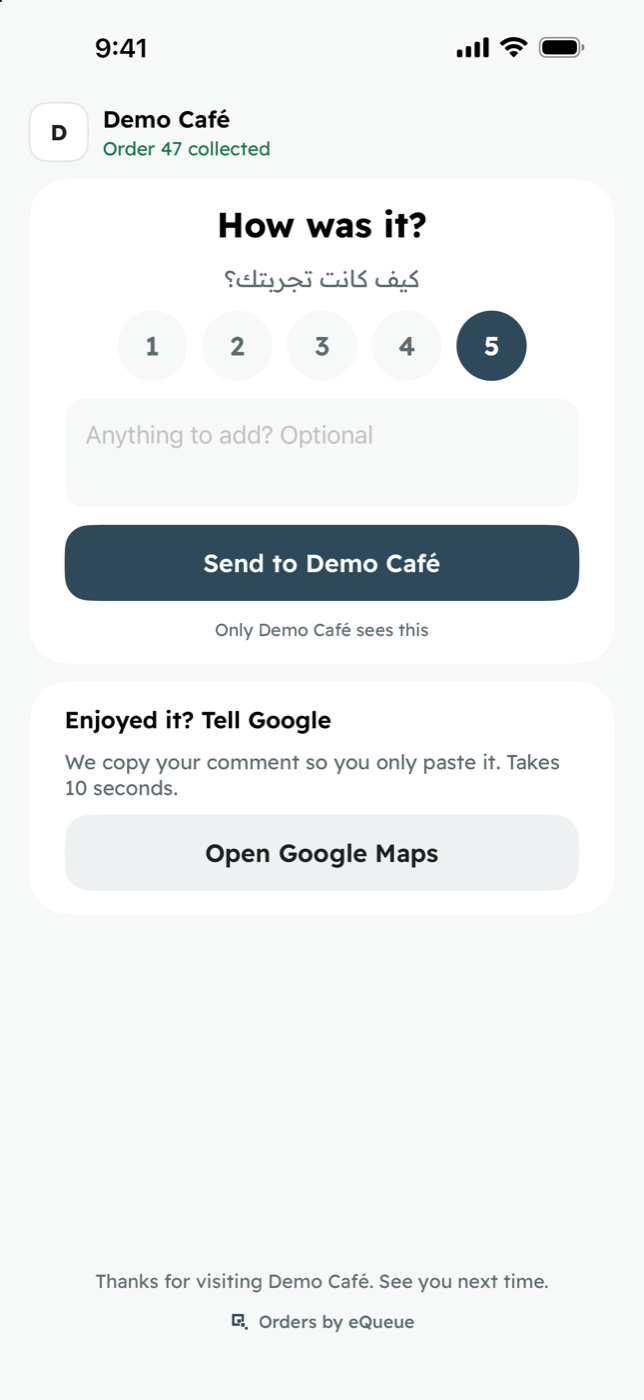
The customer can rate the visit privately, and is invited to review you on Google.
The cashier, counter display, pickup and owner screens all open in a browser, so the phones, iPads and PCs you already own will do. Customers see your logo and colour on every screen.
Type the receipt number, tap Add. The order’s QR appears on the counter display at once.
Type the receipt number, then tap Add
47
Order · طلب
47

Scan to track your order
امسح لتتبع طلبك
Ready جاهز
44 45
Preparing قيد التحضير
46 47
Waiting for pickup
Busiest hours
They point the Camera at the QR and the order page opens. Nothing to download, no account, no phone number.
It opens as an App Clip. A card on the lock screen shows the order number and turns to Ready.
9:41
The order stays at the top of the screen while they scroll, chat or take photos.
Order 47 is ready
On iPhone, alerts work for 8 hours with no permission prompt.
Chrome shows a notification, and the open page turns green with a sound.
Your Café: order 47 is ready
Collect it at the counter.
Every screen in both. Numbers stay as they are printed on the receipt.
Order 47 is ready
Collect it at the counterالطلب 47 جاهز
استلمه من الكاونترPlastic buzzers have to be bought, charged every night and counted back in, and a few always walk out in someone’s pocket. Calling out names works until the place gets busy. Your customers already carry a better buzzer: their phone.
| eQueue | Plastic buzzer | Calling names | |
|---|---|---|---|
| What the customer needs | Their own phone, online | A buzzer from your counter | To hear their name |
| Cost to start | Free | A set of buzzers and a base unit | Free |
| How far they can go | Anywhere their phone has internet | Within the base’s radio range | As far as a voice carries |
| If they miss it | Reminders every 2 minutes, up to 3 times | Staff press again | Staff call again, louder |
| Upkeep | Nothing to charge, clean or lose | Charge, clean and count them daily | None |
| Your brand | Your logo and colour on their screen | A sticker on the buzzer | None |
| What you learn | Prep time, pickup time, busiest hours, ratings | Nothing | Nothing |
| Google reviews | Invites customers after pickup | No | No |
There are no limits, and we won’t ask for a card. Setup takes about 10 minutes, so you can take your first order today.
Start free Receipt 47
TotalFree
No card needed
Yes. The counter shows a QR code instead of you handing out a plastic pager. The customer scans it, takes a seat anywhere, and their own phone buzzes when the order is ready. There are no buzzers to buy, charge or collect back.
No. They scan the QR with the Camera. On iPhone it opens as an App Clip, with nothing to install. On Android it opens in Chrome. There is no sign-up.
On iPhone, the lock-screen card and the Dynamic Island show the order number and change to Ready, and the phone buzzes. On Android, Chrome shows a notification if they allowed it.
Yes. iPhone gets the App Clip, the lock-screen card and alerts for 8 hours with no permission prompt. Android gets Chrome notifications, and the open page turns green with a sound.
A phone, iPad or PC for the cashier, and an iPad facing the customer at the counter for the QR. Pickup and owner screens run on any device you already have. You can print a QR counter stand.
Yes, with any POS, because there is nothing to connect. The cashier types the receipt number into eQueue.
Arabic and English, on every screen. Customers see their phone’s language and can switch.
Nothing, with every feature included: unlimited orders, staff and branches. No card needed. Sign up and you can be set up in about 10 minutes.
Customers wait wherever they’re comfortable, and every pickup ends with an invite to review you on Google. Setup takes about 10 minutes and costs nothing.
Start free